Platba za událost
- Přihlaste se do platformy Raceduck.
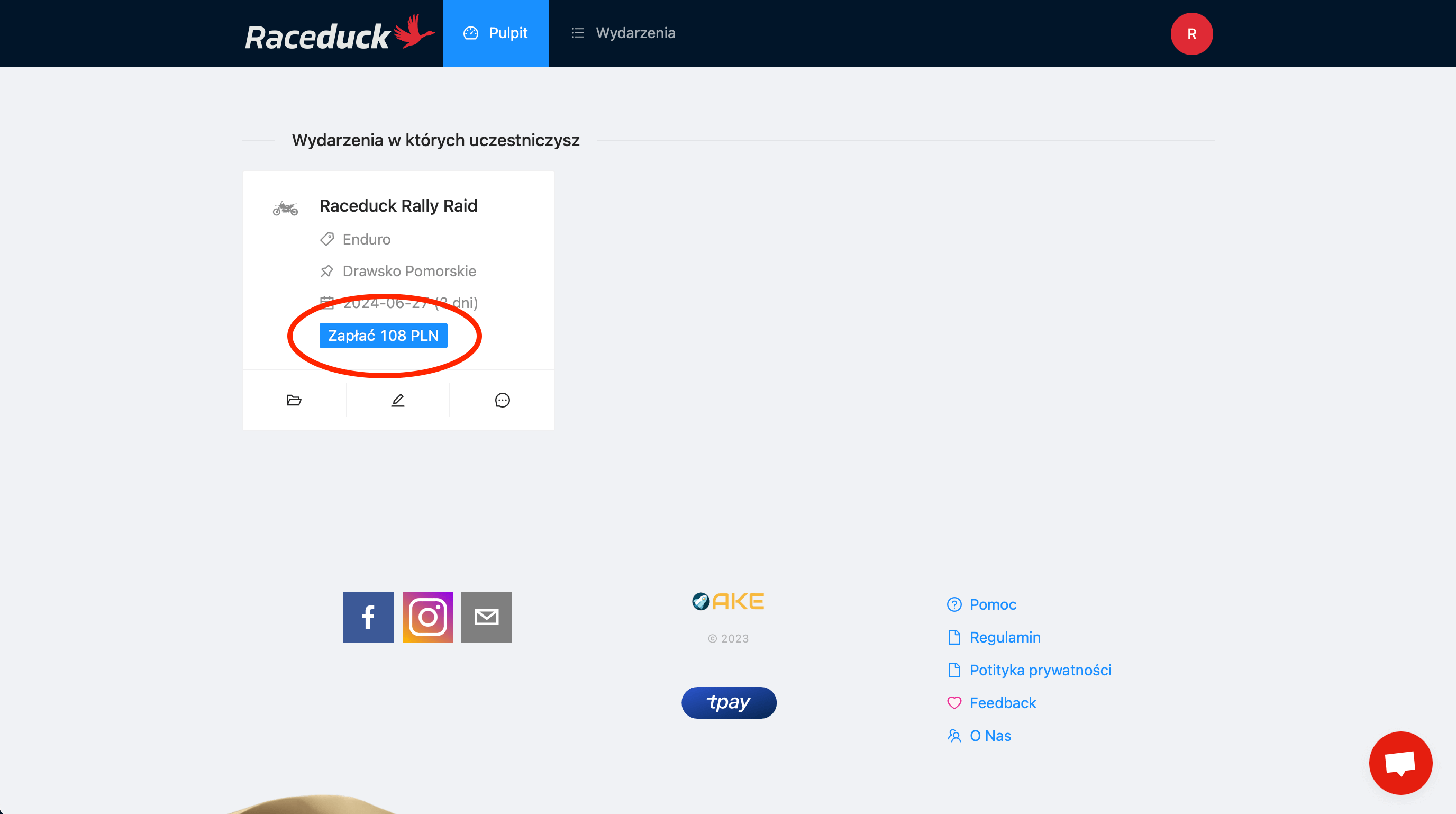
- Po přihlášení budete přesměrováni na dashboard, kde uvidíte všechny své události. V sekci 'Události, kterých se účastníte' najděte událost, za kterou chcete zaplatit.
- Klikněte na tlačítko Zaplatit se zobrazenou částkou.
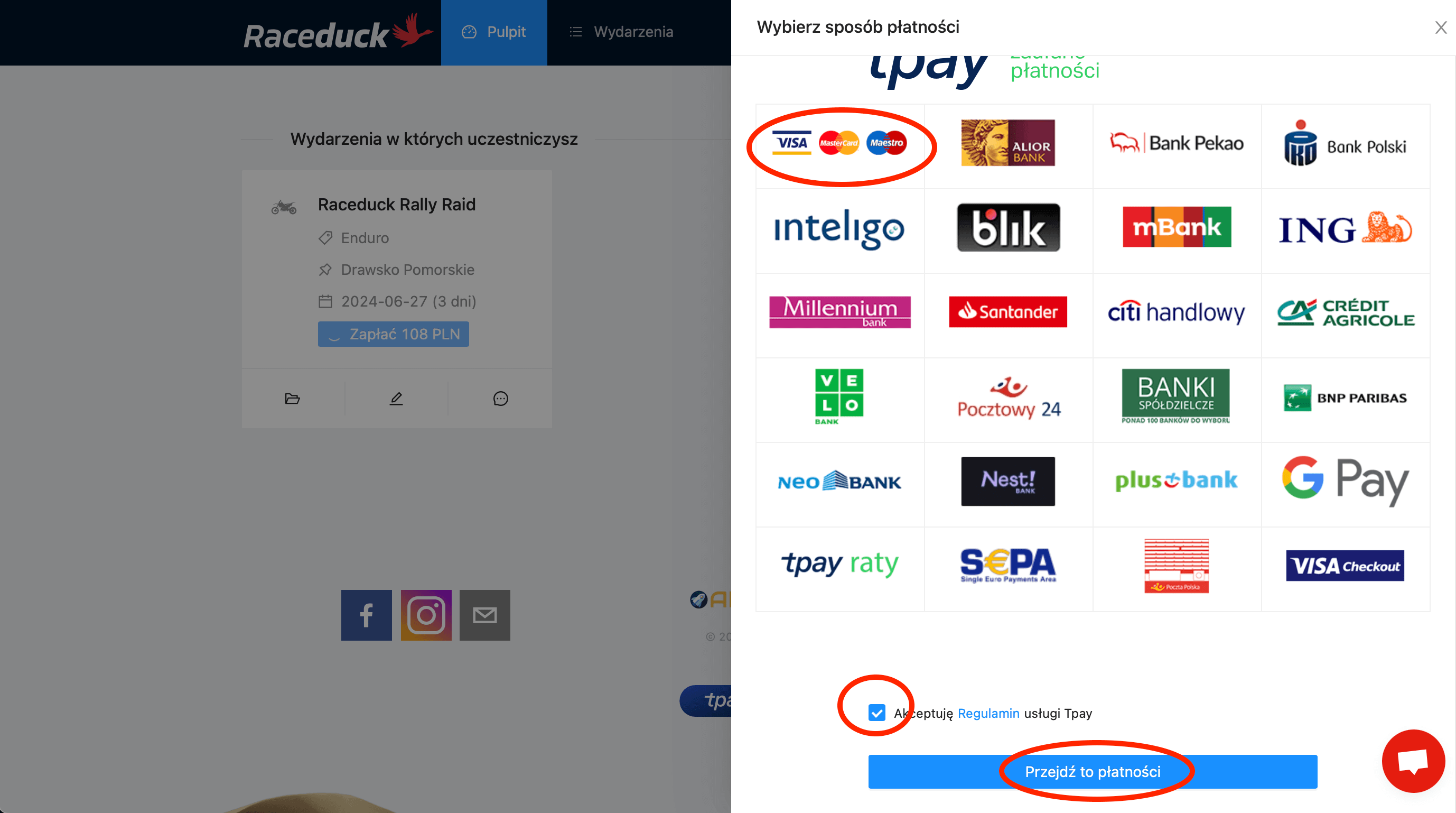
- On the right side, you will see the payment panel - choose the option that suits you best. Accept the payment regulations. Then click Go to payment.
- Follow the instructions on the screen provided by the payment operator.
- After successful payment, you will be redirected to the Raceduck platform dashboard where a new payment status will appear: Payment completed. You'll also receive email confirmation.
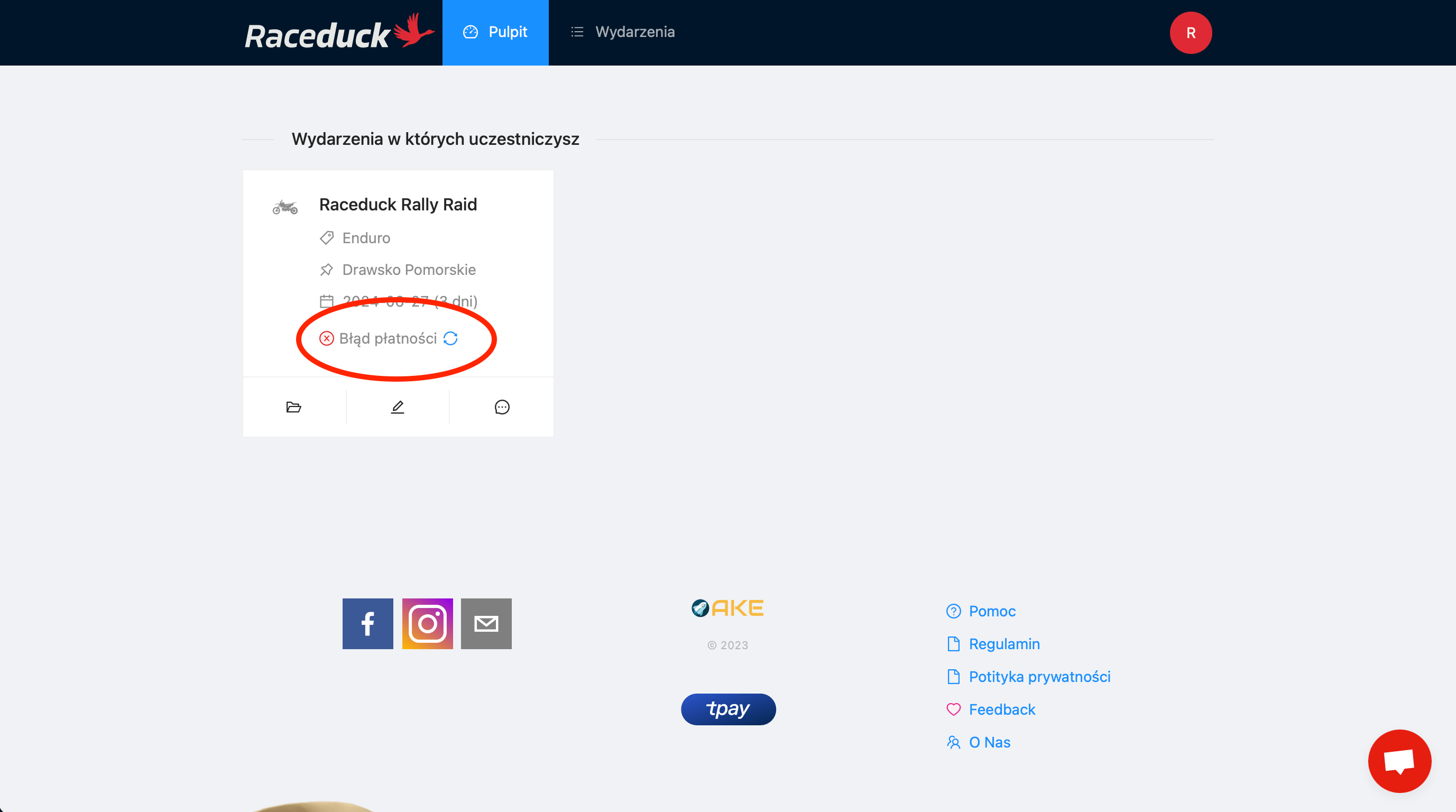
- In case of unsuccessful payment, you can repeat it: See how.
Still having problems with payment? Contact us - use the chat icon in the corner of the page or send an email to: raceduck@raceduck.com.