Making a payment for an event
- Log in to the Raceduck platform.
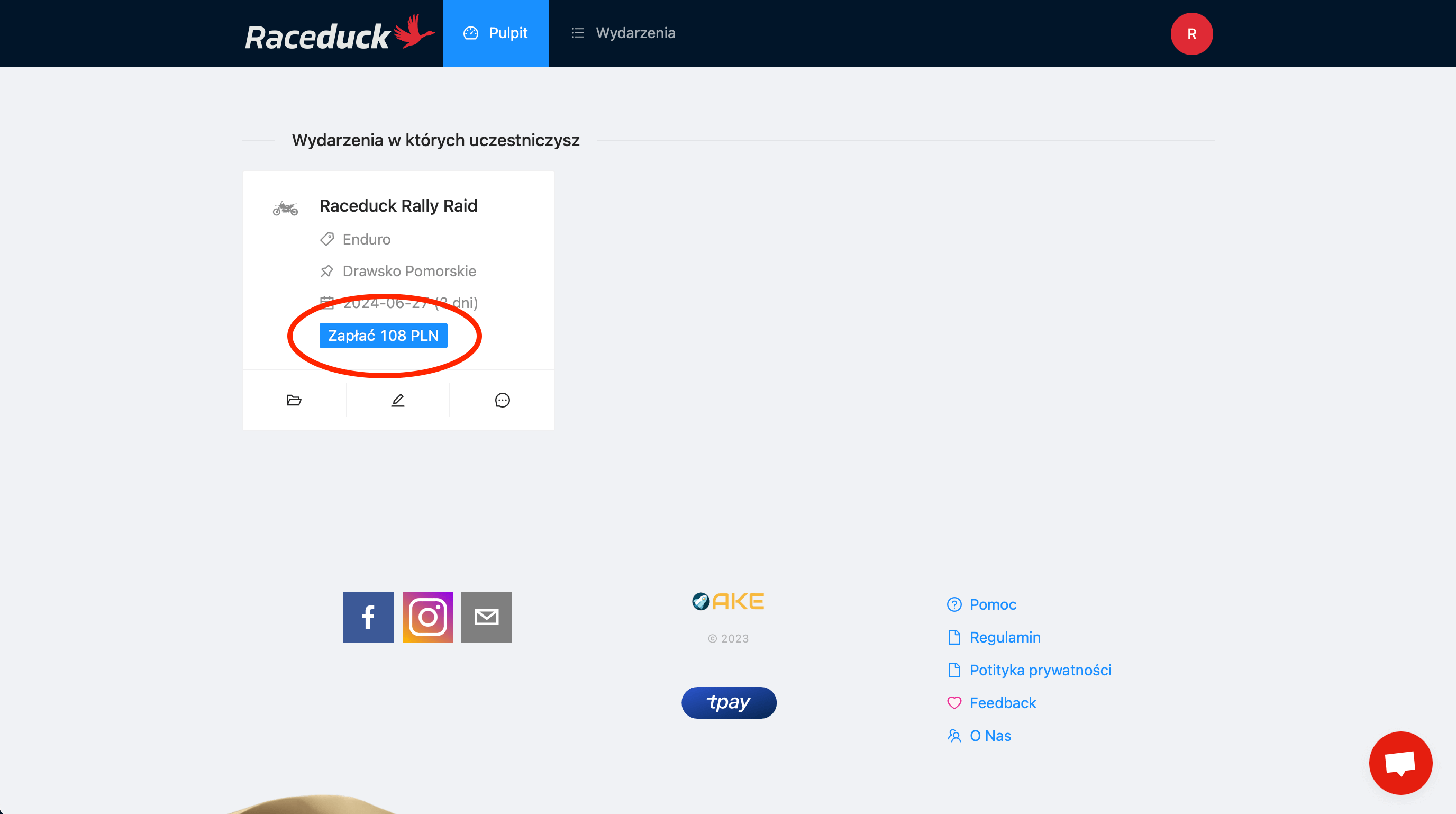
- After logging in, you will be redirected to the dashboard, where you will see all your events. In the 'Events you are participating in' section, find the event you want to pay for.
- Click the Pay button with the amount displayed.
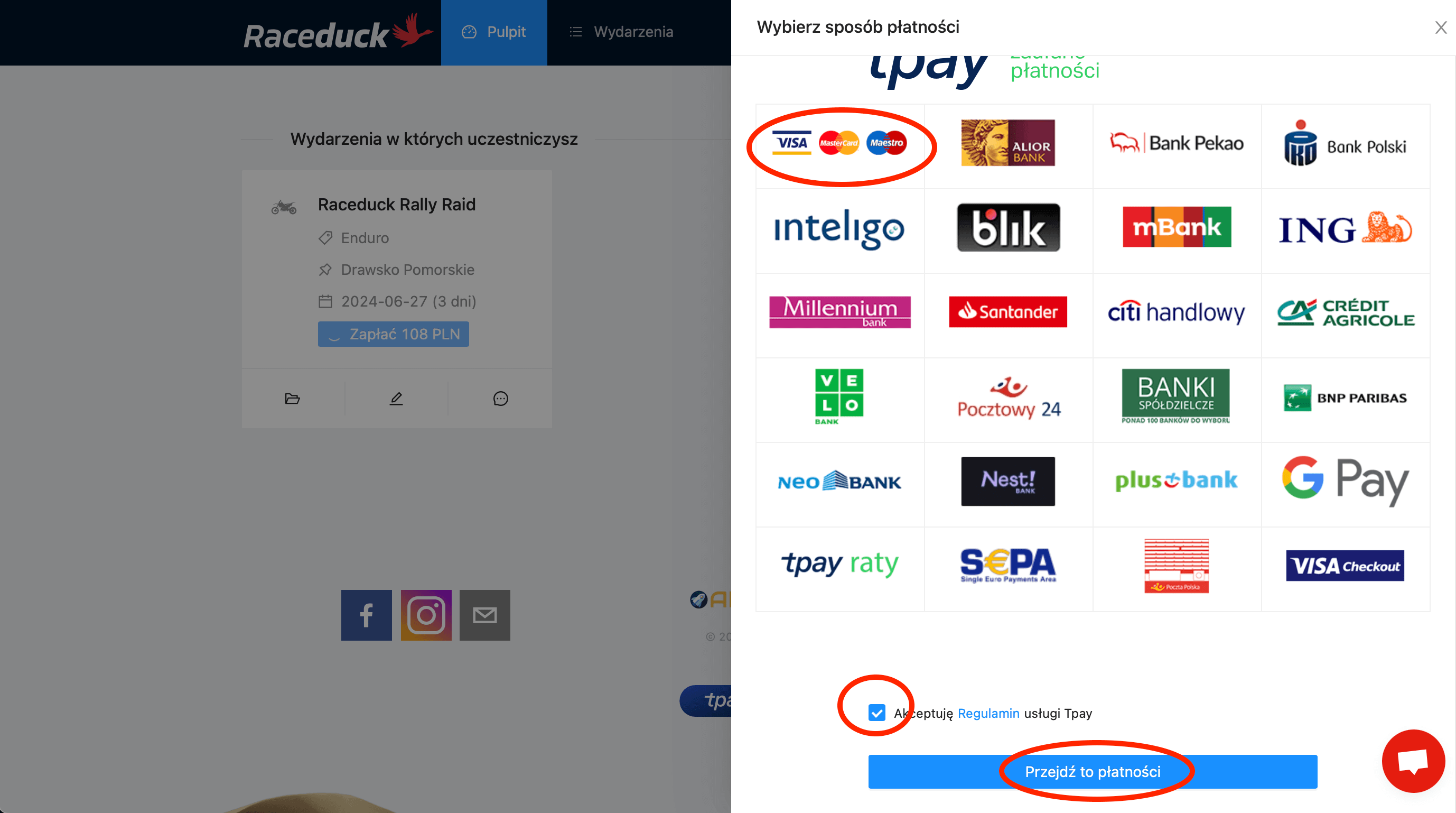
- On the right side, you will see the payment panel - choose the option that suits you best. Accept the payment regulations. Then click Go to payment.
- Follow the instructions on the screen provided by the payment operator.
- After successful payment, you will be redirected to the Raceduck platform dashboard where a new payment status will appear: Payment completed. You'll also receive email confirmation.
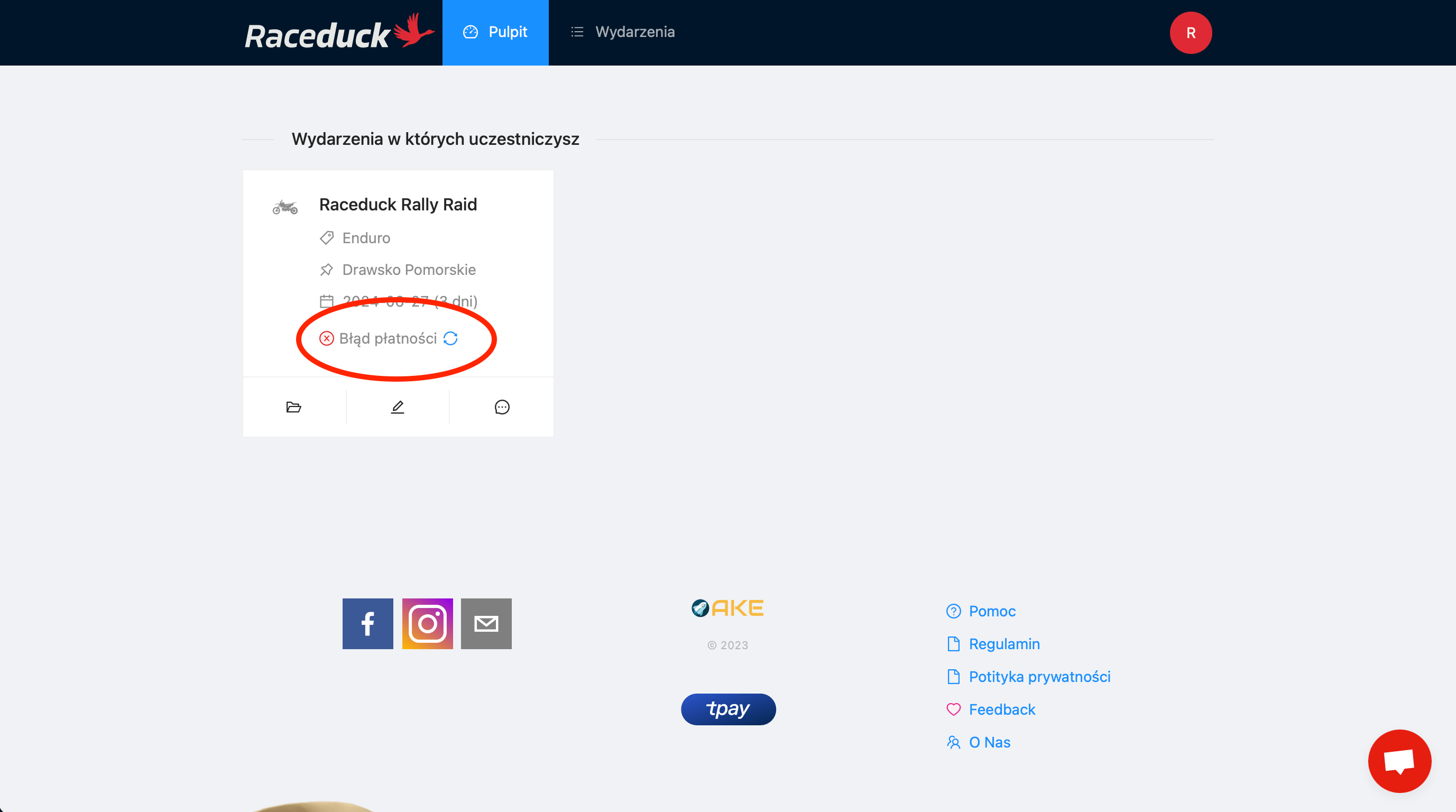
- In case of unsuccessful payment, you can repeat it: See how.
Still having problems with payment? Contact us - use the chat icon in the corner of the page or send an email to: raceduck@raceduck.com.